

Your daily checks, out of the WhatsApp group and onto one page.

Know every site is ready for the best customer experience, without calling each one or reading 47 updates on WhatsApp.

For bakeries, restaurants and factories with more than one site or shift.

Example evening page. Names, sites and times are made up.

A bakery with three sites. Built at 19:30.

98% of checks done on time today

2% to improve: 2 of 100 checks across 3 sites

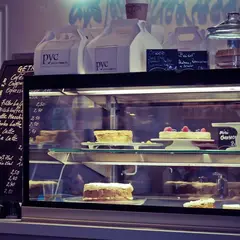
  • Display case wipedTo improve

    Anna Nagar shop, due 11:00. The photo came in at 11:40.

  • Gas valve closedTo improve

    Central kitchen, due 18:00. Waiting for the photo.

  • Oven switched offFixed

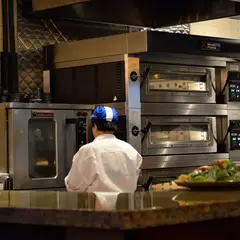
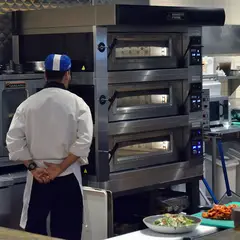
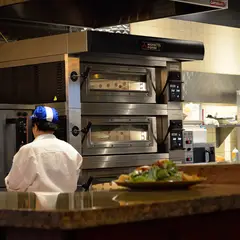
    T. Nagar shop. The photo showed the oven light on. Priya switched it off at 18:25 and told the night staff.

Checks done on time, by site
SiteOn time
Anna Nagar shop33 of 34
Central kitchenWashroom closed 3 times, 52 min in total, longest 24 min.32 of 33
T. Nagar shop33 of 33

How the checks come in today

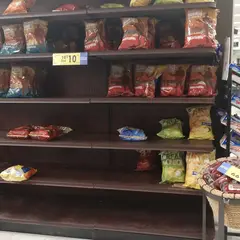
Today, in the group chat. Dozens of photos a day, with no site, no check and no time you can trust.

How a day works

  1. You show what right looks like

    Write each check once, with a photo of the spot done right.

  2. Your team does it on their phone

    A photo and a Yes or No tap. Nothing to type.

  3. They get an answer straight away

    • Done. All clear.
    • Done. A supervisor will look at this one.
    • Done. Flagged to Arjun: main switch lever looks up, power may be on.
  4. You read one page each evening

    See the example or click through the app.

Photos taken there and then

The camera is live in the app, so each photo is taken at the spot, on time. When the app is unsure, a person looks before anything is marked wrong.

Turn the phone a little to the left

What staff see when they take the photo.

Try it on your own counter

Take one live photo of your counter, desk or shelf and see the check at work. Pick kind or a polite roast. Or try to fool it with a photo of a photo.

Try it now

Takes under a minute.

Checks you could set up

Examples. You write your own.

Bakery

  • Display counter wiped before openingPhotoWhat right looks like: Glass clear, no crumbs on the lower shelf
  • Cake fridge door shutPhotoWhat right looks like: Door closed, nothing caught in the seal
  • Today's trays labelled with the bake dateTap
  • Oven off at closingPhotoWhat right looks like: Switch down, panel light off
  • Shutter locked, key with the managerPhoto and tapWhat right looks like: Lock closed on both sides

Restaurant

  • Kitchen floor mopped before lunchPhotoWhat right looks like: Floor dry, no water near the drain
  • Hand-wash basin has soap and paper towelsPhotoWhat right looks like: Soap bottle and towel holder both full
  • Washroom cleaningPhoto at start and endWhat right looks like: The evening page shows how long it was closed
  • Caps and gloves on in the kitchenTap
  • Gas valve closed at closingPhotoWhat right looks like: Handle across the pipe

Factory

  • Machine guard in place before start-upPhotoWhat right looks like: Guard closed and latched
  • Walkways clearPhotoWhat right looks like: Yellow lines visible end to end
  • Fire extinguisher in its placePhotoWhat right looks like: On its hook, pin and tag in place
  • Main power off at the end of the shiftPhotoWhat right looks like: Main switch lever down, red light off
  • Gate locked, key handed to securityTap

What it costs

Starter plan

₹5,000 a month plus GST

  • Up to 3 sites
  • Up to 30 staff using the app
  • Up to 40 checks a day across your sites
  • The evening page every day
  • We set up your first checks with you

Start with a pilot

The first month is free on up to 2 of your sites, and we set up the checks with you. After that you can move to the starter plan at ₹5,000 a month, or stop and pay nothing.

Ask for a pilot

Questions owners ask

What happens to the photos of my shop?

They are stored in India and kept private. You choose how long they are kept.

Need your data handled a particular way? Write to contact@victopialabs.com or message us on WhatsApp. More on privacy.

Do we need new hardware?

No. Any phone with a camera. The app opens in the browser.

Who sees what?

Staff see their own checks. A supervisor sees their sites. You see every site.

What does my team get from it?

Clear steps, your photo of the spot done right, and credit with their name for each check done.

Is it in Tamil or Hindi?

Not yet. The app is in English today.

Try it at your own sites

Tell us the routine you worry about most. We will set it up with you.